---
title: How to Log In to the Student Platform
description: How to Log In to the Student Platform
---
[Skip to content](https://help.passfunctionalskills.co.uk/article/261-how-to-log-in-to-the-student-platform#main-content)
[](https://help.passfunctionalskills.co.uk/?hsLang=en-gb)
Open main navigation
Close main navigation
- [Contact us](https://pass.tech/contact-us/)
[Contact us](https://pass.tech/contact-us/)
How can we help you?
- There are no suggestions because the search field is empty.
1. [Pass Functional Skills Help](https://help.passfunctionalskills.co.uk/?hsLang=en-gb)
2. [Providers](https://help.passfunctionalskills.co.uk/providers?hsLang=en-gb)
3. [Students' Accounts](https://help.passfunctionalskills.co.uk/providers?hsLang=en-gb#students-accounts)
# How to Log In to the Student Platform
### Interactive Walkthrough
### Access our database of Supademo videos here:
[https://app.supademo.com/showcase/cm9indmzl002pwt0i2fosboin](https://app.supademo.com/showcase/cm9indmzl002pwt0i2fosboin)
### Step by Step Process
### [How to Log Into the Student Platform](https://app.supademo.com/demo/cm8x078tk12hpdmomknw6gtc6)
### 1. Click on "Log into Student Platform".
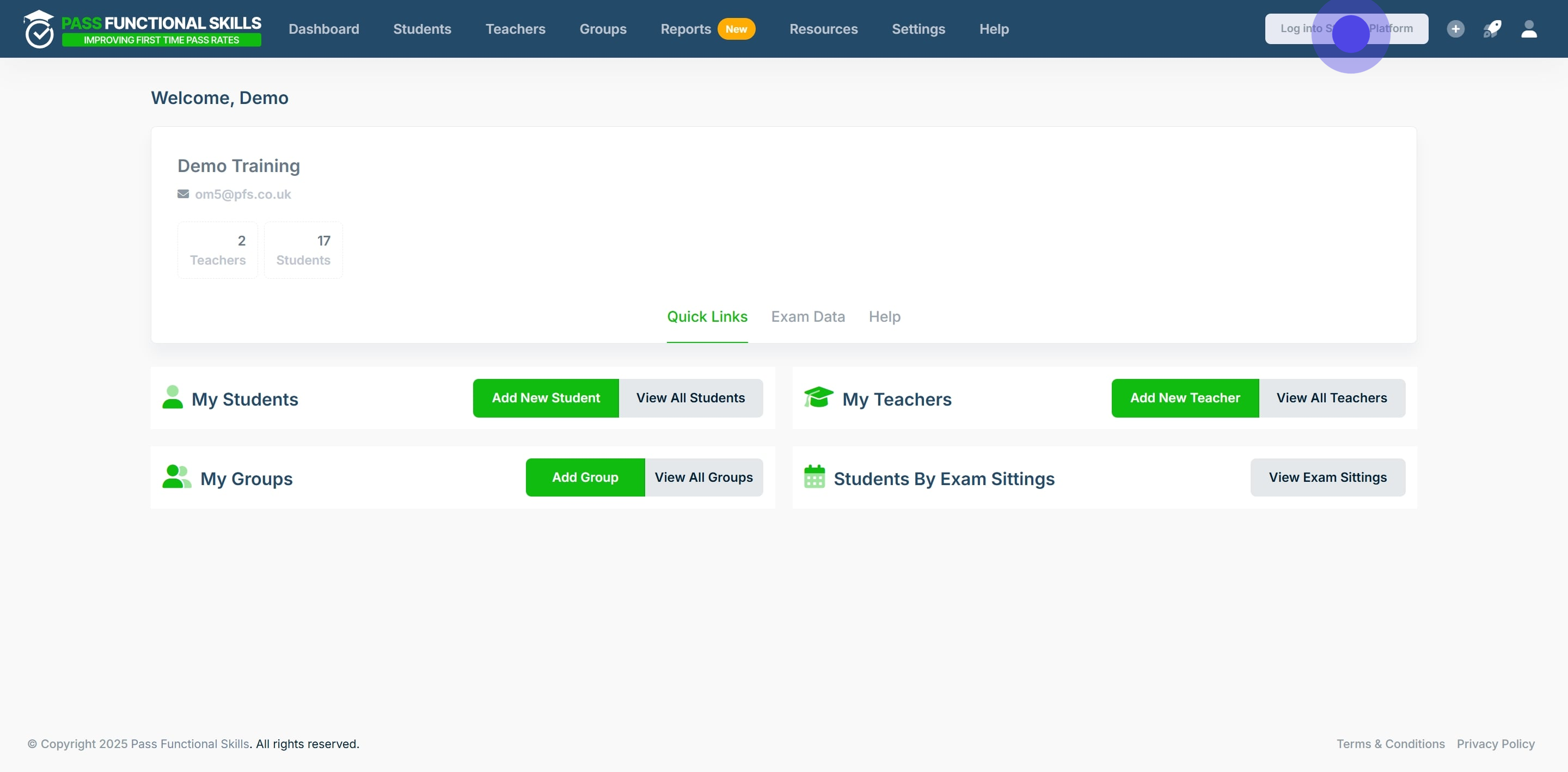
### 2. Click on "Proceed".
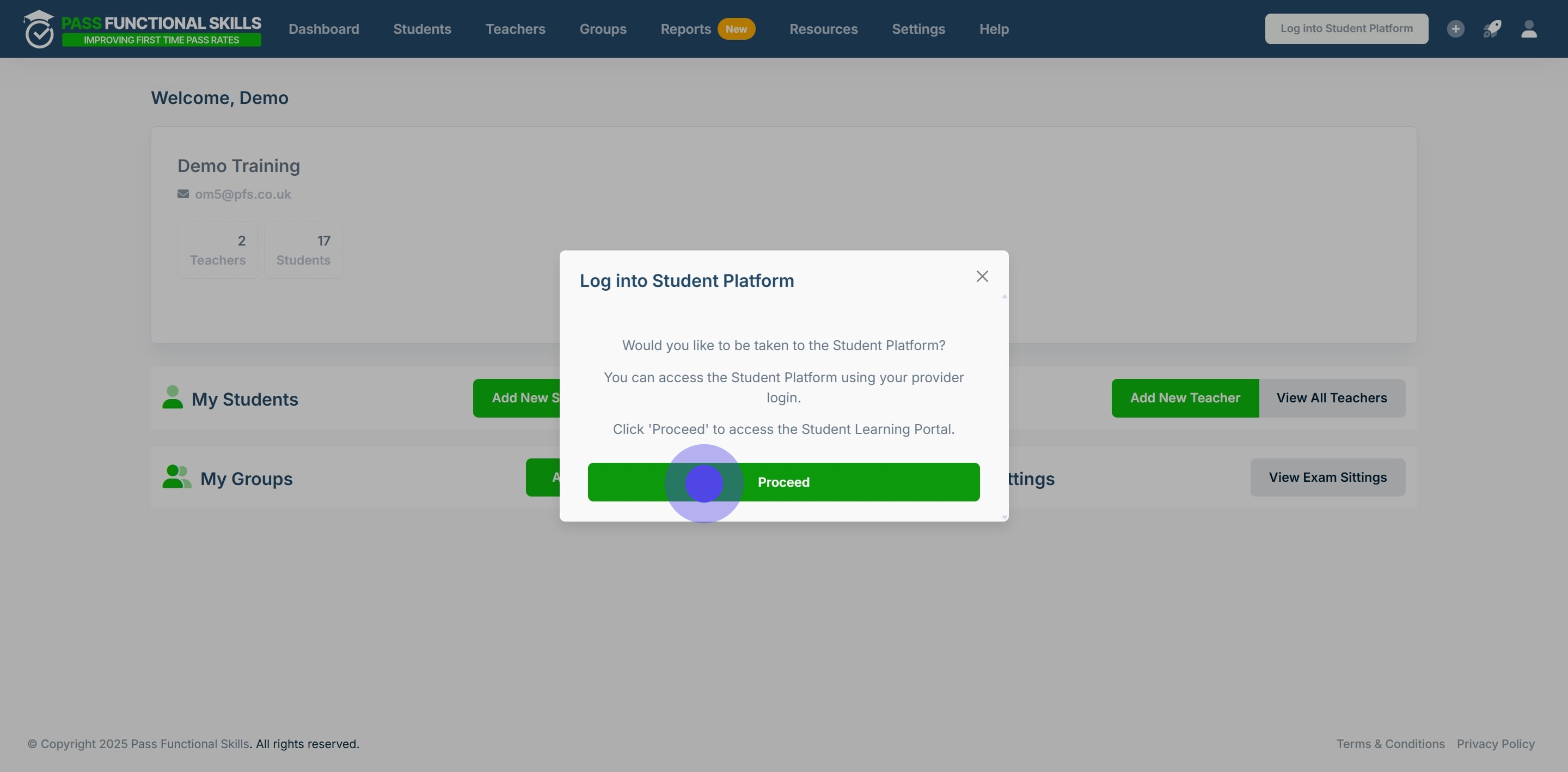
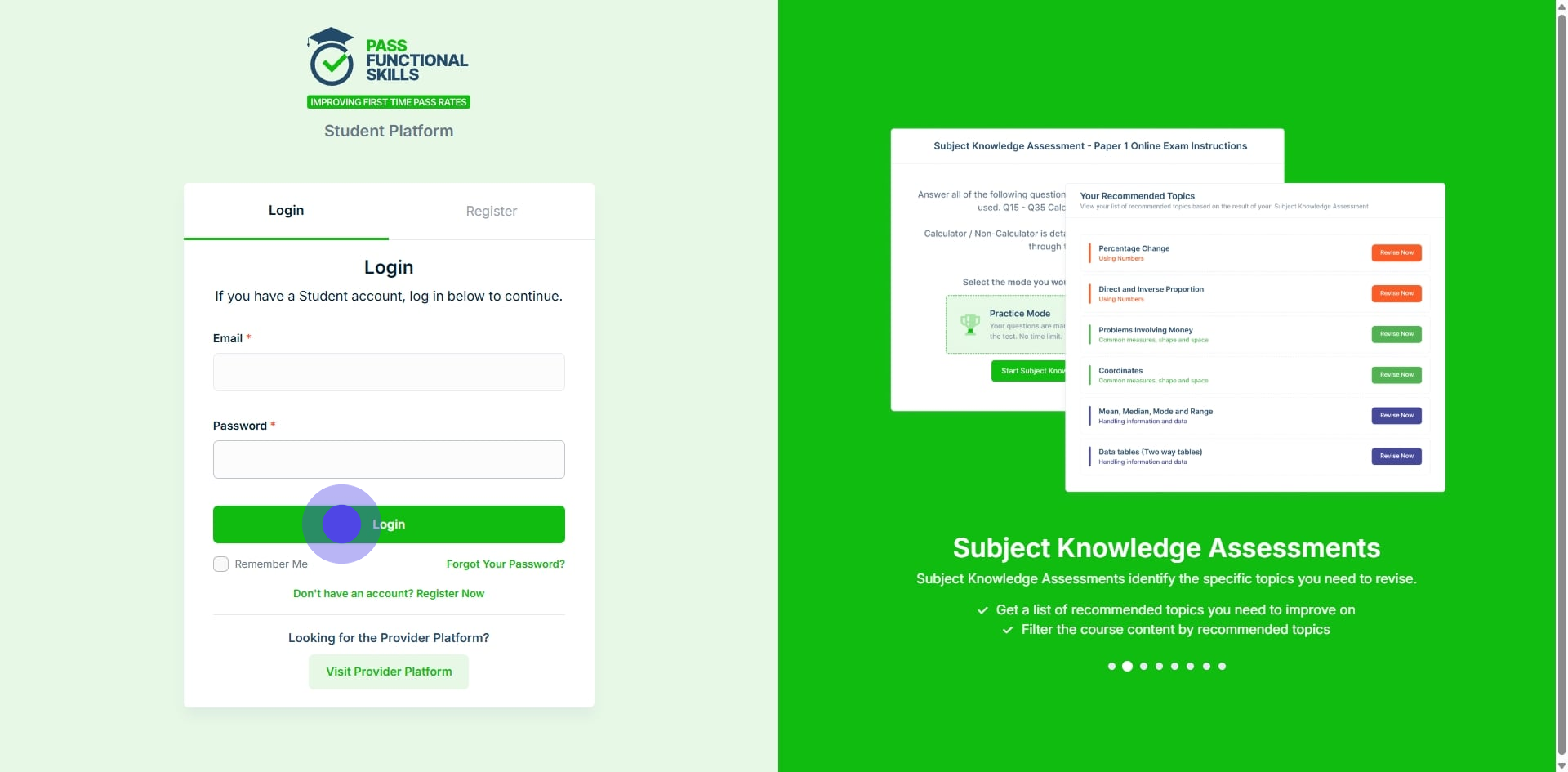
### 3. Click on the text box and enter your Email address.
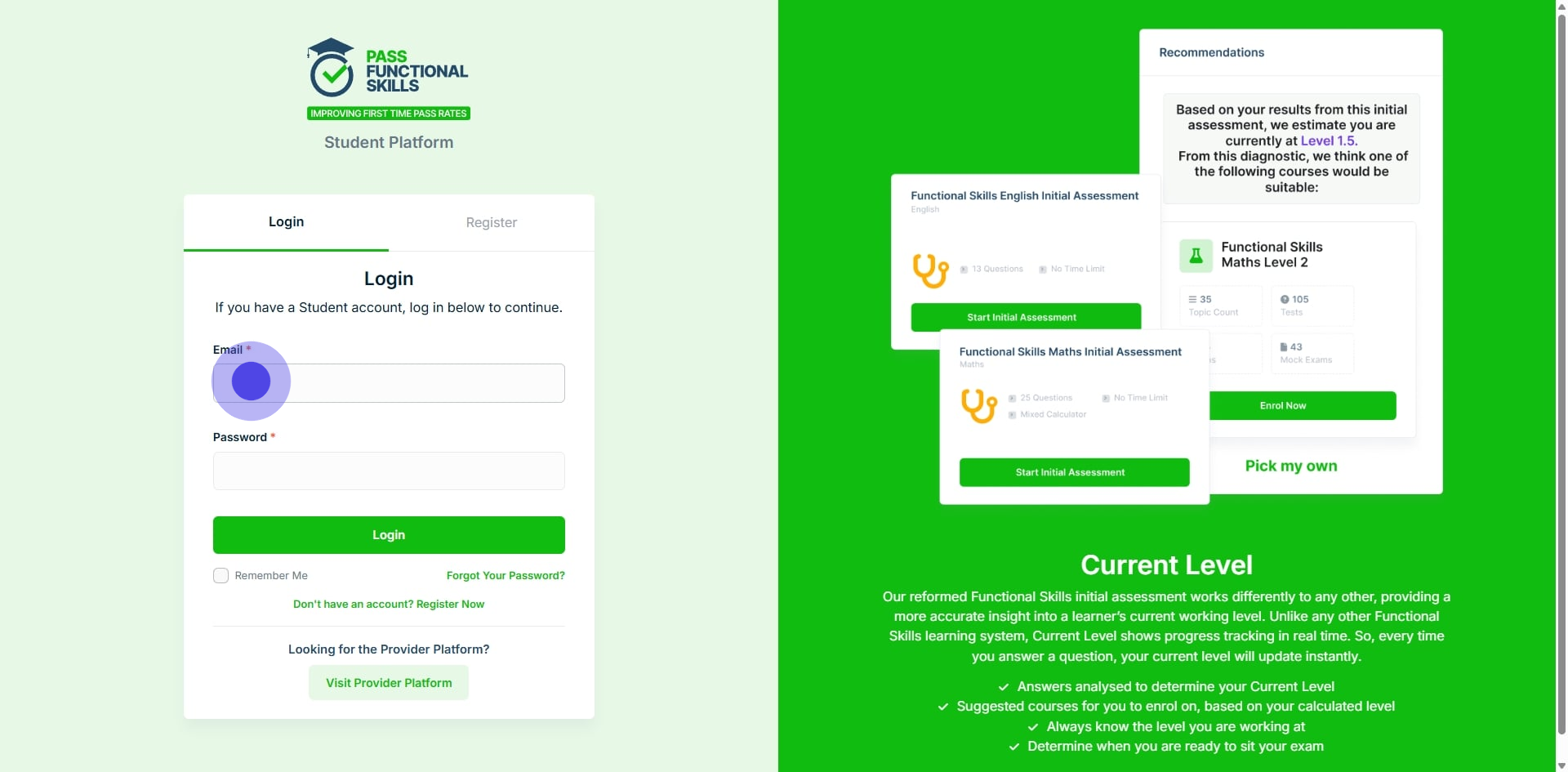
### 4. Next, click on the password text box and enter your password.
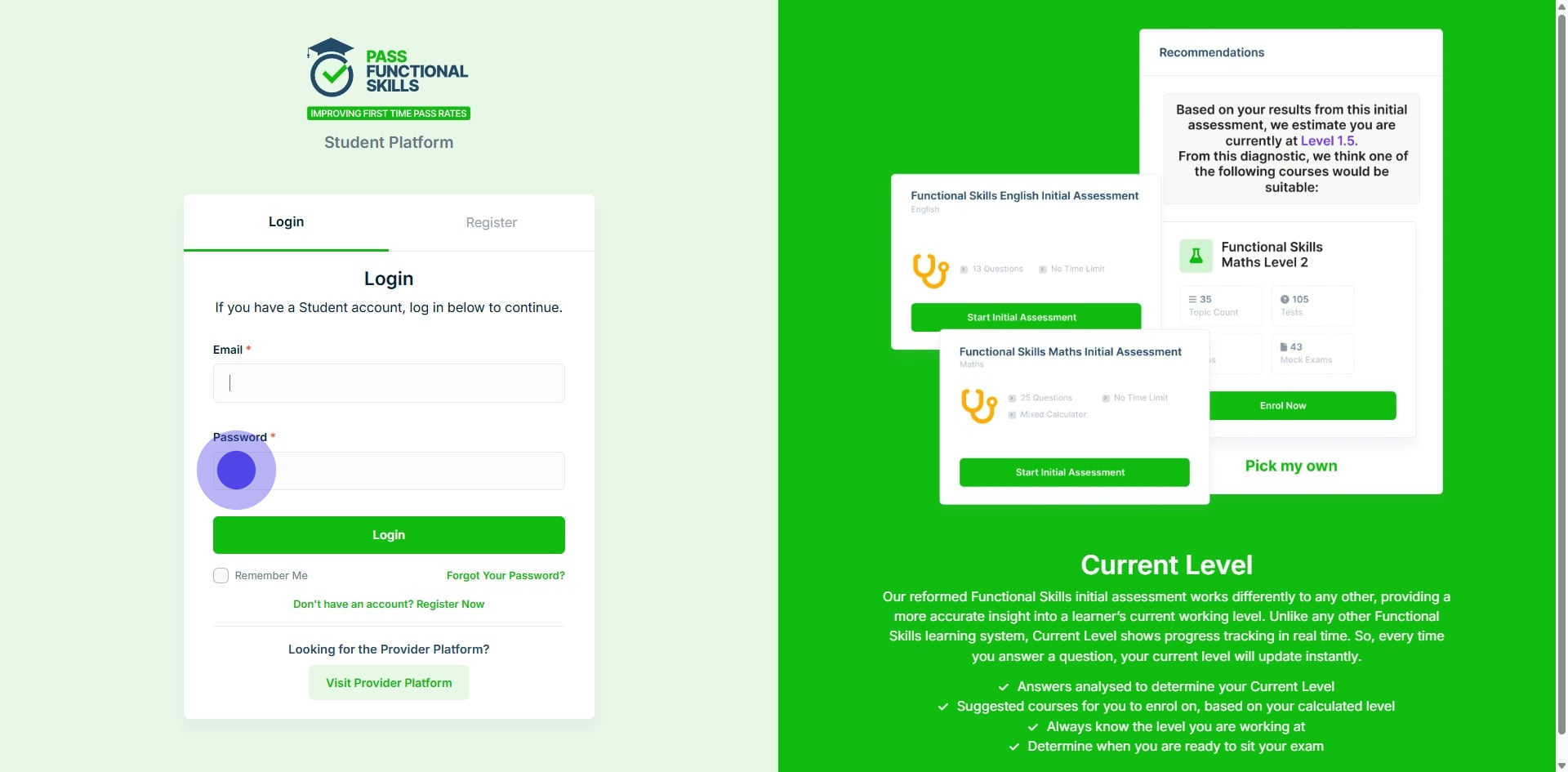
### 5. Finally click "Login"
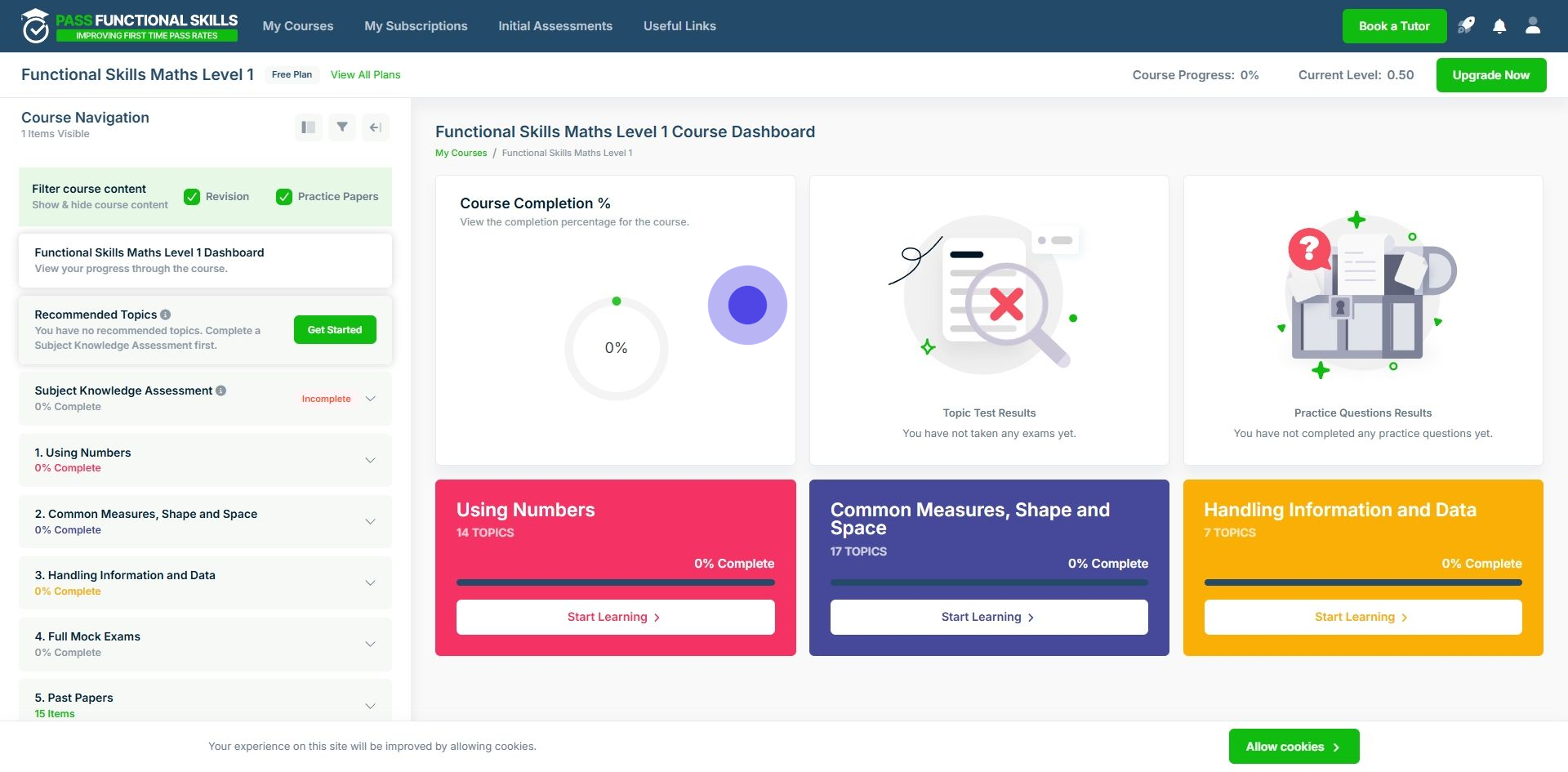
### 6. From this page you can access the student platform, to familiarise yourself with what the learners will be able to learn, view, and interact with.
---
[*This workflow was created with Supademo.*](https://app.supademo.com/demo/cm8x078tk12hpdmomknw6gtc6)
- [Exam Information](https://help.passfunctionalskills.co.uk/exam-information?hsLang=en-gb#main-content)
- [Students](https://help.passfunctionalskills.co.uk/exam-information?hsLang=en-gb#students)
- [Open Awards Exam Format](https://help.passfunctionalskills.co.uk/exam-information?hsLang=en-gb#open-awards-exam-format)
- [Provider Students](https://help.passfunctionalskills.co.uk/exam-information?hsLang=en-gb#provider-students)
- [Providers](https://help.passfunctionalskills.co.uk/providers?hsLang=en-gb#main-content)
- [Teachers and Organisation Managers](https://help.passfunctionalskills.co.uk/providers?hsLang=en-gb#teachers-and-organisation-managers)
- [Forced Course Components](https://help.passfunctionalskills.co.uk/providers?hsLang=en-gb#forced-course-components)
- [Provider Tables and Reports](https://help.passfunctionalskills.co.uk/providers?hsLang=en-gb#provider-tables-and-reports)
- [General Updates](https://help.passfunctionalskills.co.uk/providers?hsLang=en-gb#general-updates)
- [Reporting](https://help.passfunctionalskills.co.uk/providers?hsLang=en-gb#reporting)
- [Functional Skills Basics](https://help.passfunctionalskills.co.uk/providers?hsLang=en-gb#functional-skills-basics)
- [Integrations](https://help.passfunctionalskills.co.uk/providers?hsLang=en-gb#integrations)
- [Students' Accounts](https://help.passfunctionalskills.co.uk/providers?hsLang=en-gb#students-accounts)
- [Exam Basics](https://help.passfunctionalskills.co.uk/providers?hsLang=en-gb#exam-basics)
- [Course Features](https://help.passfunctionalskills.co.uk/course-features?hsLang=en-gb#main-content)
- [Progress on the Course](https://help.passfunctionalskills.co.uk/course-features?hsLang=en-gb#progress-on-the-course)
- [General](https://help.passfunctionalskills.co.uk/course-features?hsLang=en-gb#general)
- [Diagnostic Assessments](https://help.passfunctionalskills.co.uk/course-features?hsLang=en-gb#diagnostic-assessments)
- [ExamReady](https://help.passfunctionalskills.co.uk/course-features?hsLang=en-gb#examready)
- [Course Material](https://help.passfunctionalskills.co.uk/course-features?hsLang=en-gb#course-material)
[](https://help.passfunctionalskills.co.uk/?hsLang=en-gb)
[mailto:info@pass.tech](mailto:info@pass.tech)
Copyright © 2026,