---
title: How to Change a Student's Planned End Date
description: How to Change a Student's Planned End Date
---
[Skip to content](https://help.passfunctionalskills.co.uk/article/260-how-to-change-a-students-planned-end-date#main-content)
[](https://help.passfunctionalskills.co.uk/?hsLang=en-gb)
Open main navigation
Close main navigation
- [Contact us](https://pass.tech/contact-us/)
[Contact us](https://pass.tech/contact-us/)
How can we help you?
- There are no suggestions because the search field is empty.
1. [Pass Functional Skills Help](https://help.passfunctionalskills.co.uk/?hsLang=en-gb)
2. [Providers](https://help.passfunctionalskills.co.uk/providers?hsLang=en-gb)
3. [Students' Accounts](https://help.passfunctionalskills.co.uk/providers?hsLang=en-gb#students-accounts)
# How to Change a Student's Planned End Date
### Interactive Walkthrough
### Access our database of Supademo videos here:
[https://app.supademo.com/showcase/cm9indmzl002pwt0i2fosboin](https://app.supademo.com/showcase/cm9indmzl002pwt0i2fosboin)
### Step by Step Process
### [How to Set or Change a Student's Planned End Date](https://app.supademo.com/demo/cm8wvafz40yk2dmomg2yqg79m)
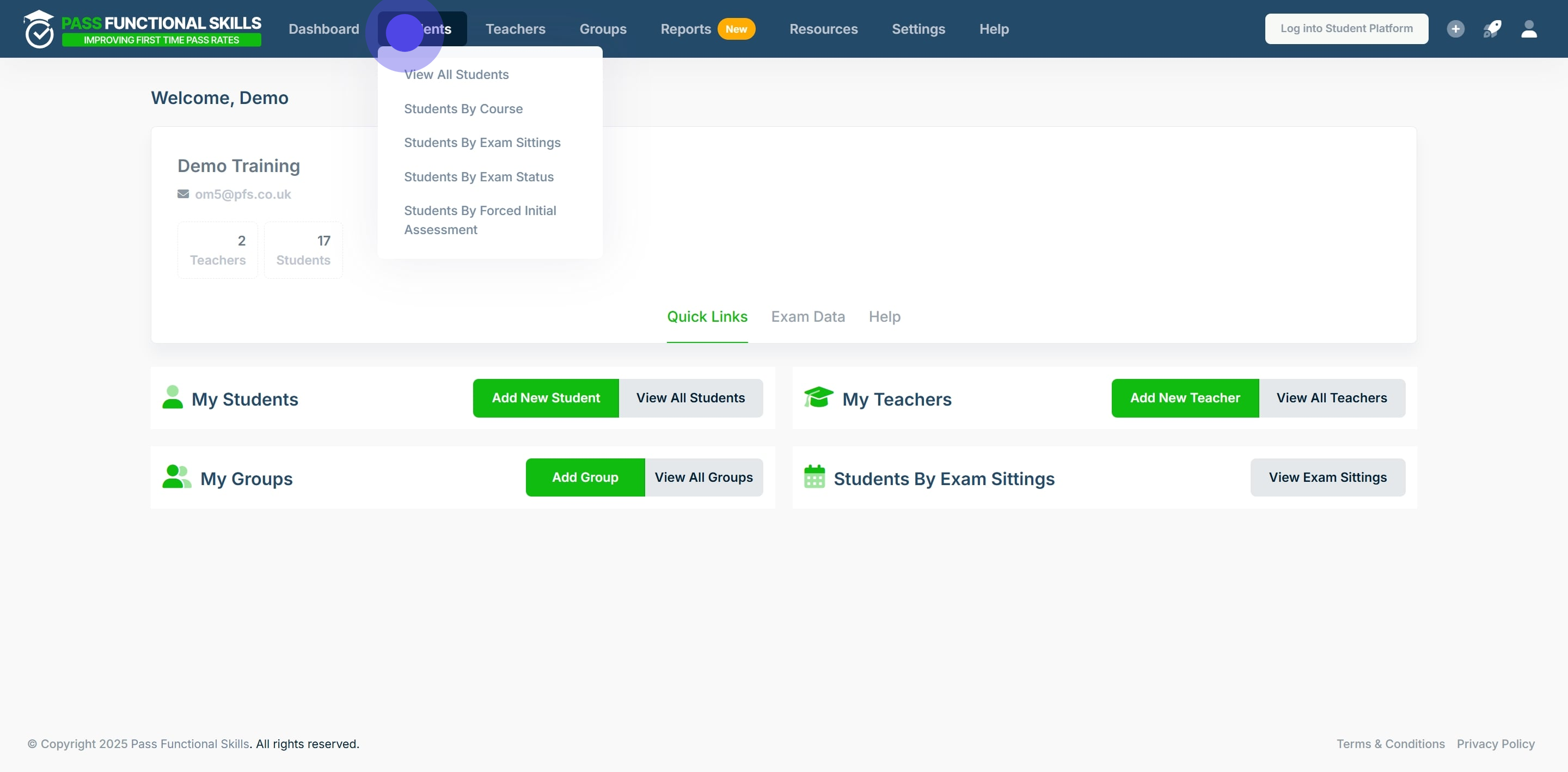
### 1. Click on "Students".
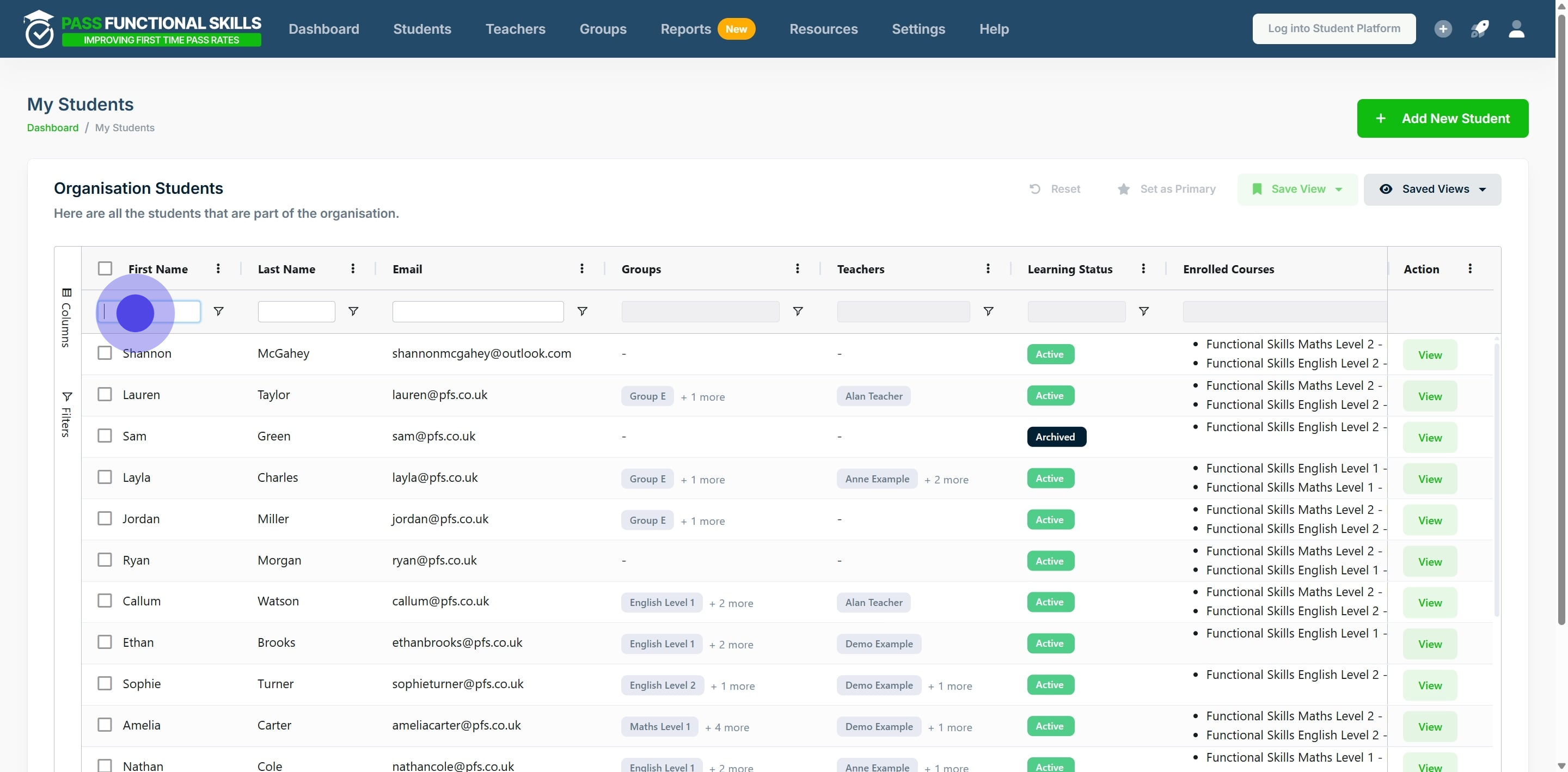
### 2. Use the search bars in the table's columns to specify a student you want to search for. After typing the specific search, press the "Enter" key on your keyboard to filter the table. In this example, we will set 30th April 2025 as the planned end date for Ella Morgan's Functional Skills English Level 2 Course.
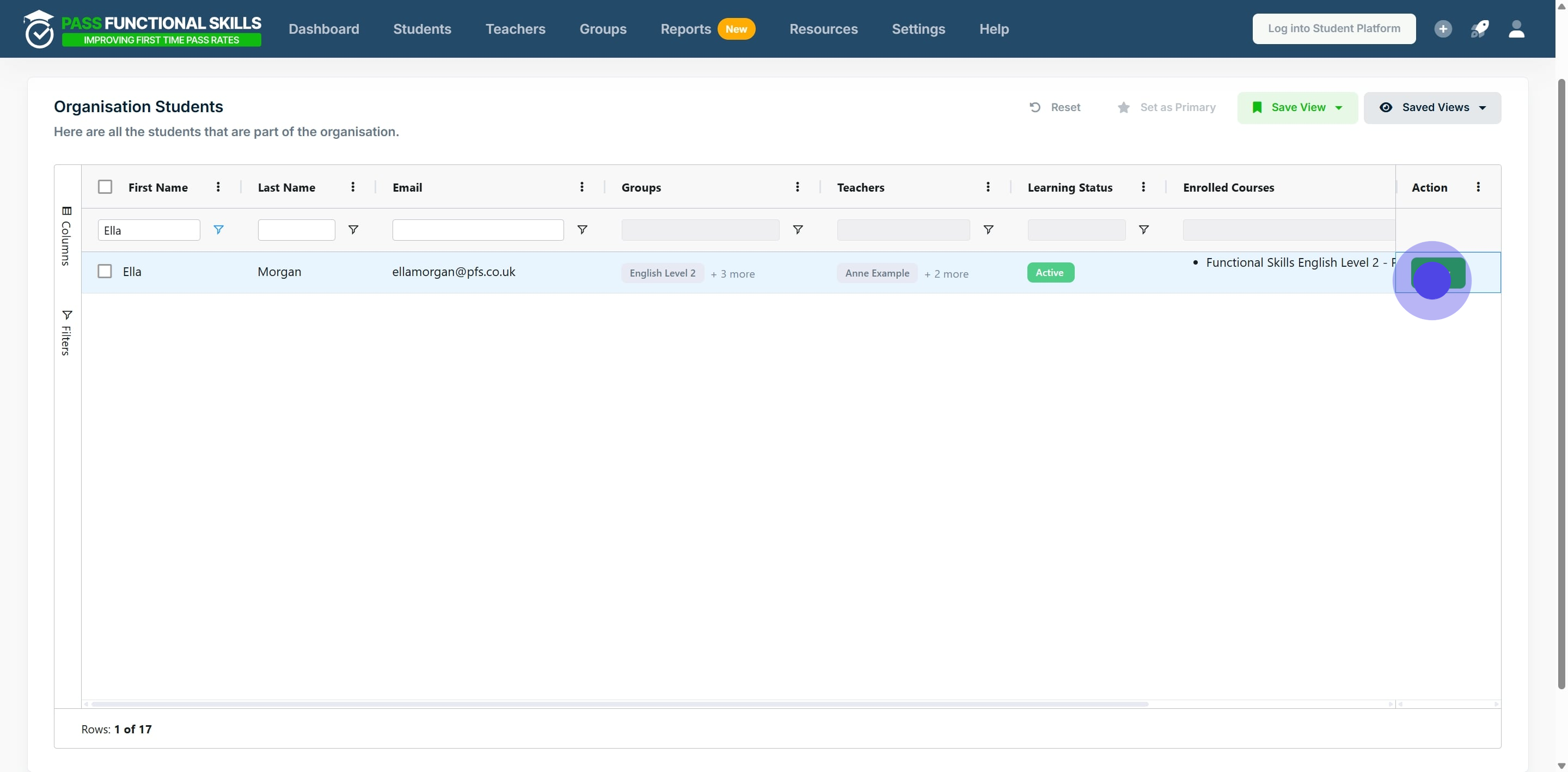
### 3. After locating the student whose planned end date you wish to set or change, click on "View".
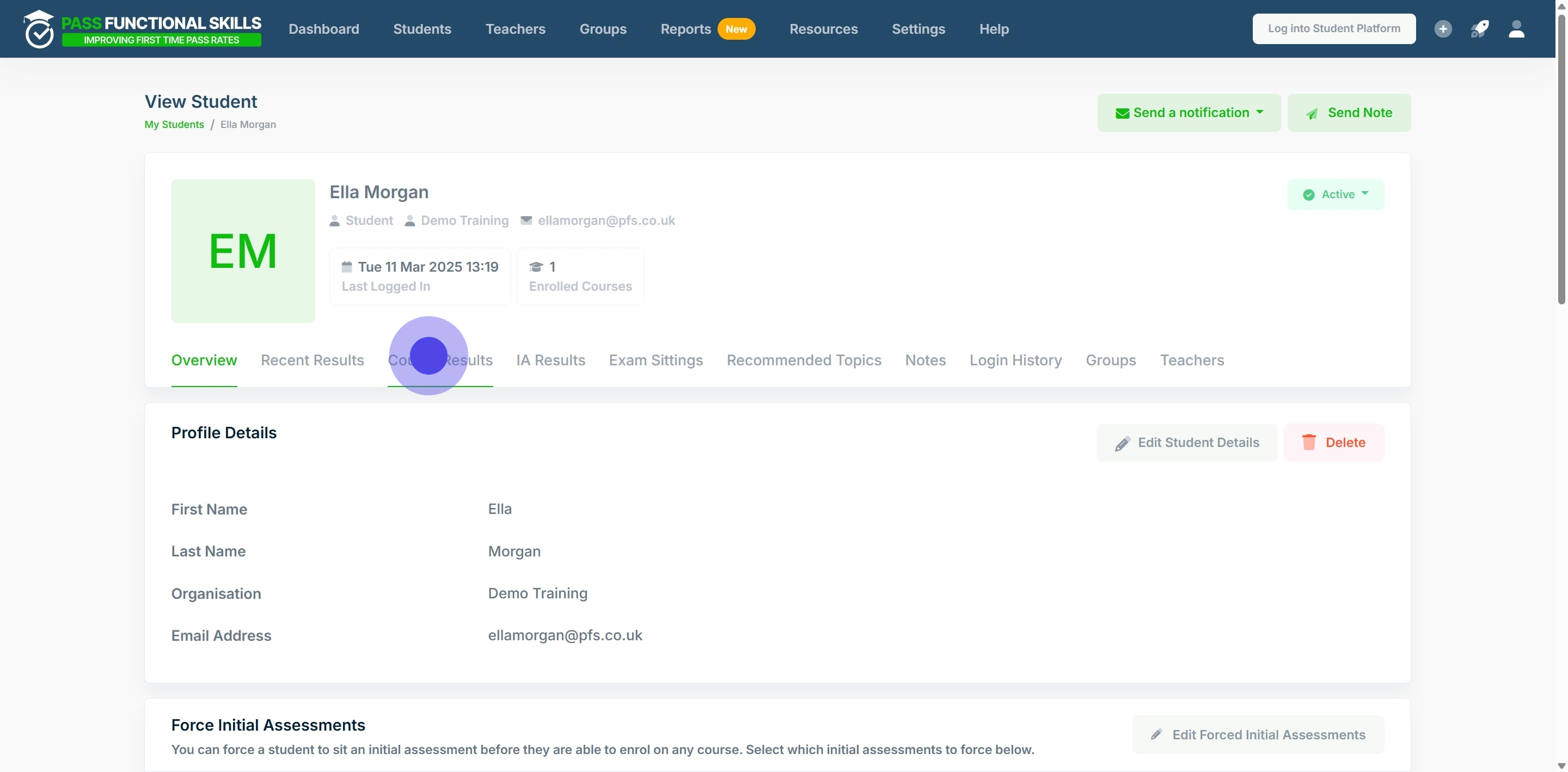
### 4. Click on "Course Results".
### 5. Locate the course you want to set a planned end date for.
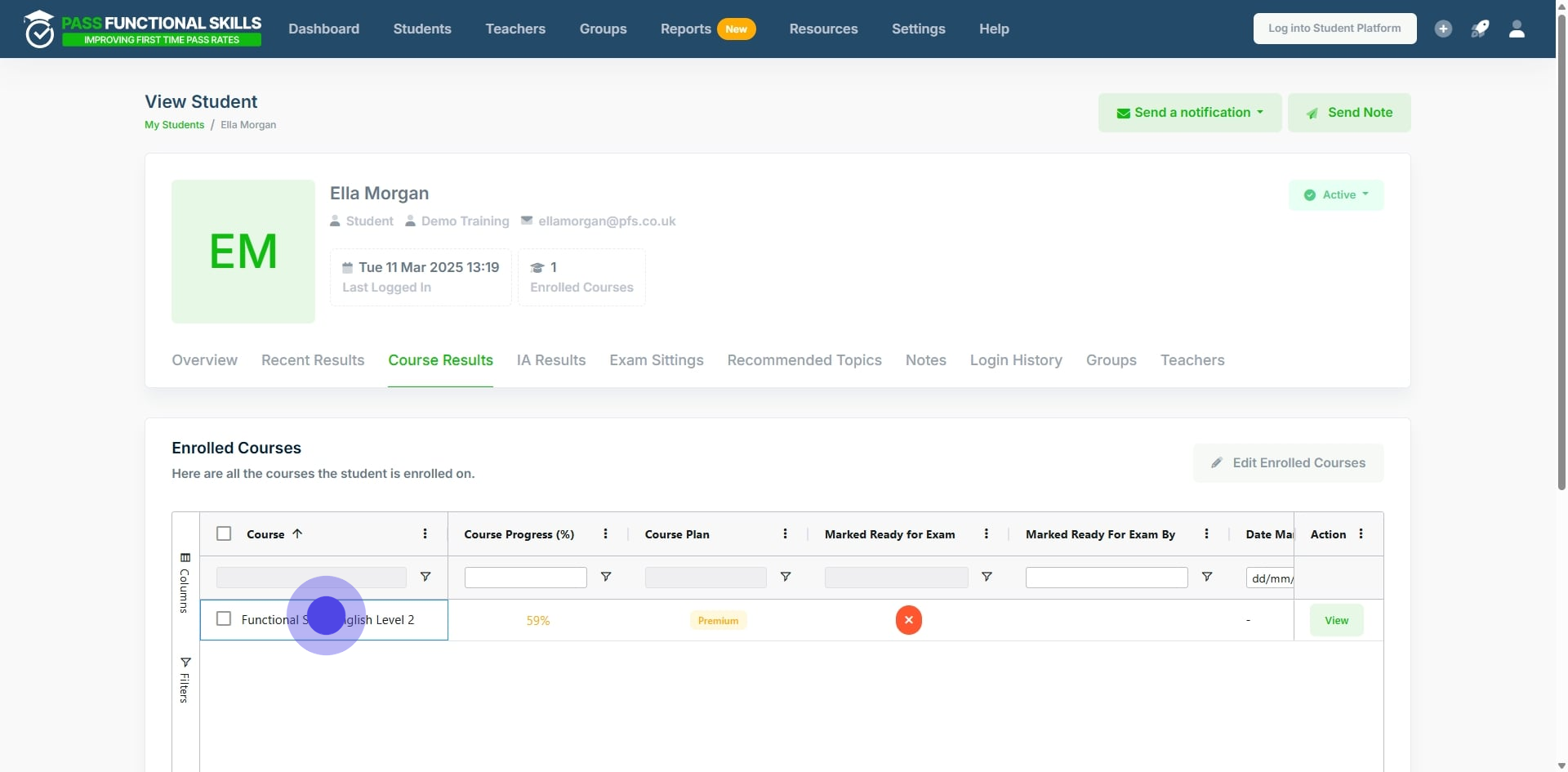
### 6. Next click and drag the scroll bar to find the column labelled: "Planned end date".
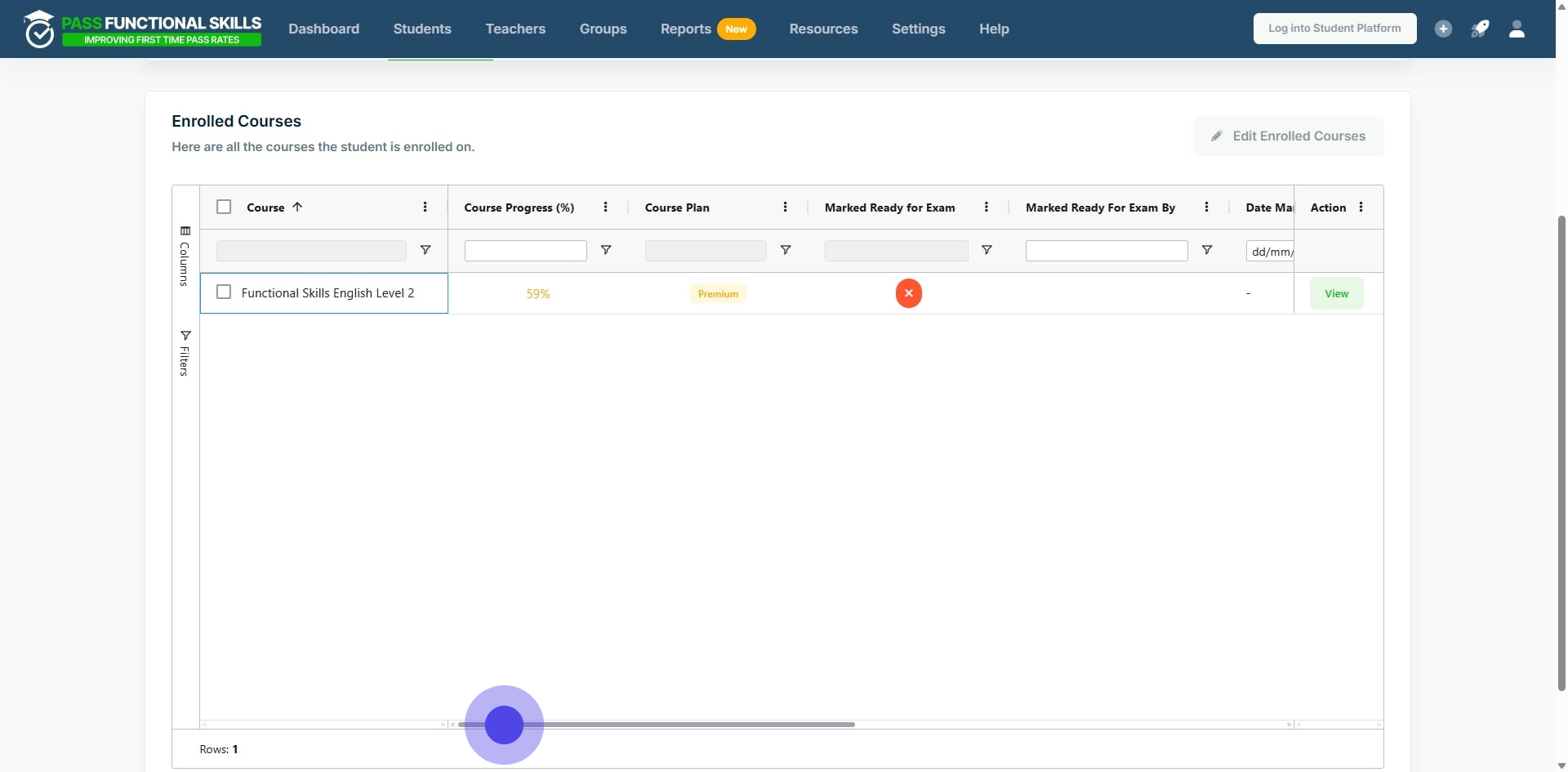
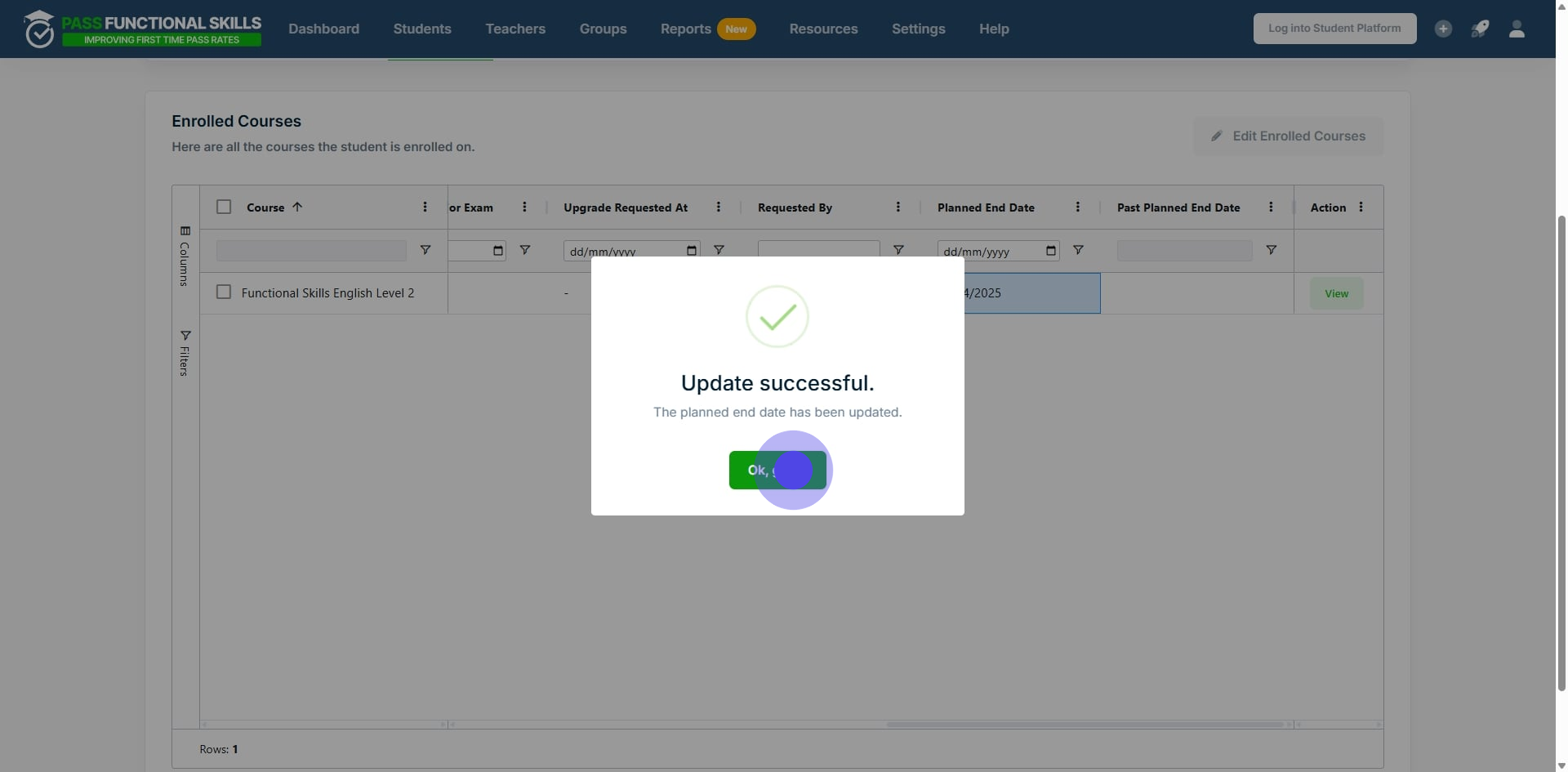
### 7. Now double click the empty cell.
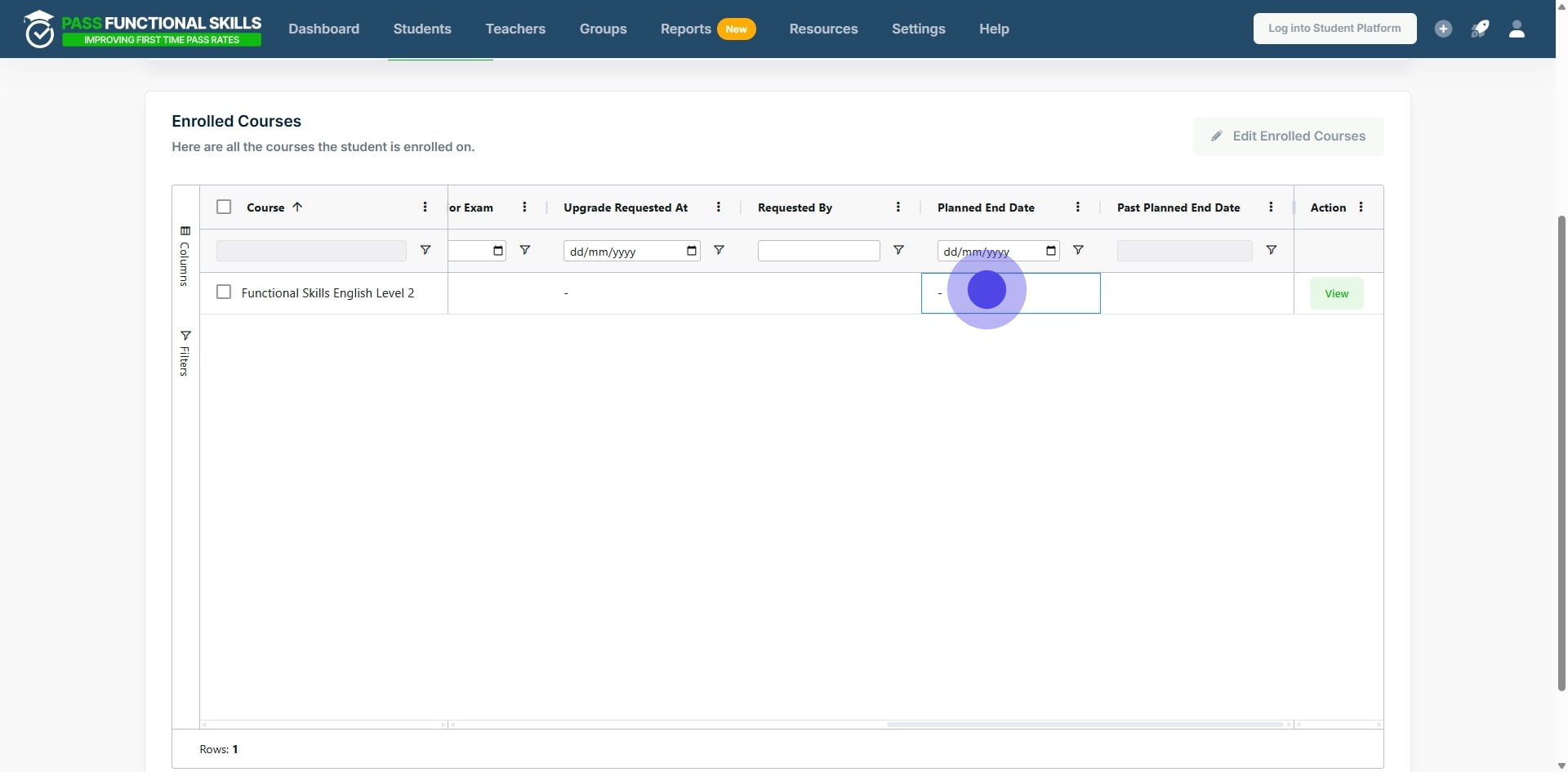
### 8. Either change the date by typing, or, click the calendar icon and select the planned end date.
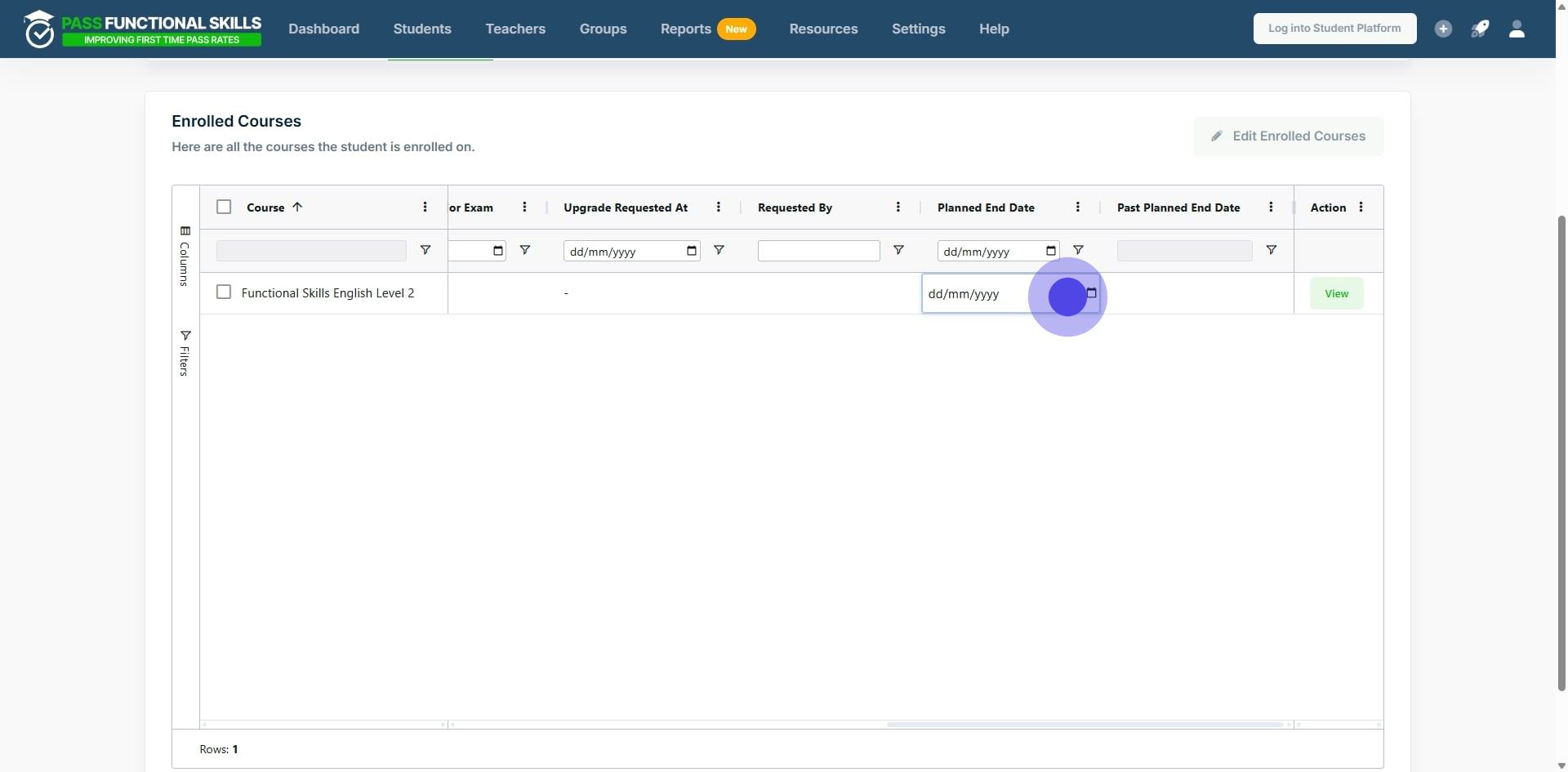
### 9. Finally, click on "Ok, got it!".
---
[*This workflow was created with Supademo.*](https://app.supademo.com/demo/cm8wvafz40yk2dmomg2yqg79m)
- [Exam Information](https://help.passfunctionalskills.co.uk/exam-information?hsLang=en-gb#main-content)
- [Students](https://help.passfunctionalskills.co.uk/exam-information?hsLang=en-gb#students)
- [Open Awards Exam Format](https://help.passfunctionalskills.co.uk/exam-information?hsLang=en-gb#open-awards-exam-format)
- [Provider Students](https://help.passfunctionalskills.co.uk/exam-information?hsLang=en-gb#provider-students)
- [Providers](https://help.passfunctionalskills.co.uk/providers?hsLang=en-gb#main-content)
- [Teachers and Organisation Managers](https://help.passfunctionalskills.co.uk/providers?hsLang=en-gb#teachers-and-organisation-managers)
- [Forced Course Components](https://help.passfunctionalskills.co.uk/providers?hsLang=en-gb#forced-course-components)
- [Provider Tables and Reports](https://help.passfunctionalskills.co.uk/providers?hsLang=en-gb#provider-tables-and-reports)
- [General Updates](https://help.passfunctionalskills.co.uk/providers?hsLang=en-gb#general-updates)
- [Reporting](https://help.passfunctionalskills.co.uk/providers?hsLang=en-gb#reporting)
- [Functional Skills Basics](https://help.passfunctionalskills.co.uk/providers?hsLang=en-gb#functional-skills-basics)
- [Integrations](https://help.passfunctionalskills.co.uk/providers?hsLang=en-gb#integrations)
- [Students' Accounts](https://help.passfunctionalskills.co.uk/providers?hsLang=en-gb#students-accounts)
- [Exam Basics](https://help.passfunctionalskills.co.uk/providers?hsLang=en-gb#exam-basics)
- [Course Features](https://help.passfunctionalskills.co.uk/course-features?hsLang=en-gb#main-content)
- [Progress on the Course](https://help.passfunctionalskills.co.uk/course-features?hsLang=en-gb#progress-on-the-course)
- [General](https://help.passfunctionalskills.co.uk/course-features?hsLang=en-gb#general)
- [Diagnostic Assessments](https://help.passfunctionalskills.co.uk/course-features?hsLang=en-gb#diagnostic-assessments)
- [ExamReady](https://help.passfunctionalskills.co.uk/course-features?hsLang=en-gb#examready)
- [Course Material](https://help.passfunctionalskills.co.uk/course-features?hsLang=en-gb#course-material)
[](https://help.passfunctionalskills.co.uk/?hsLang=en-gb)
[mailto:info@pass.tech](mailto:info@pass.tech)
Copyright © 2026,